
FaxReceive - receive fax phone
Actual Software Inc.Business
4.4155.00 Reviews
- Version
- Varies With Device
- Installs
- 50.00K
- Age Rating
- Everyone
Screenshots

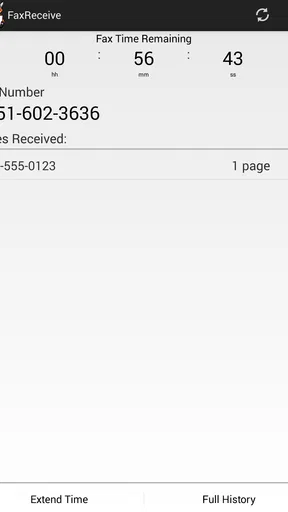
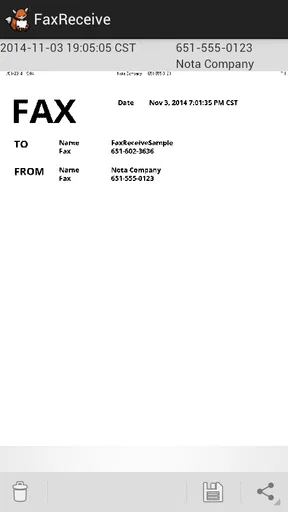
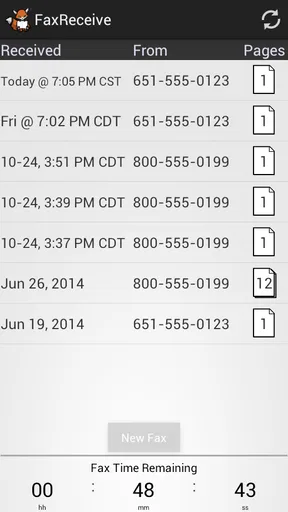

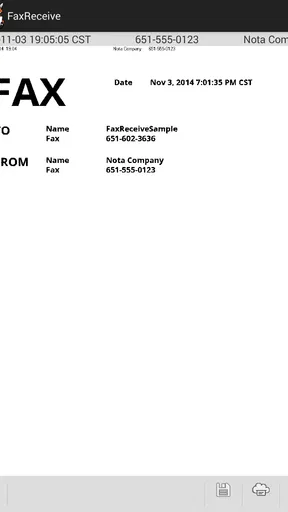
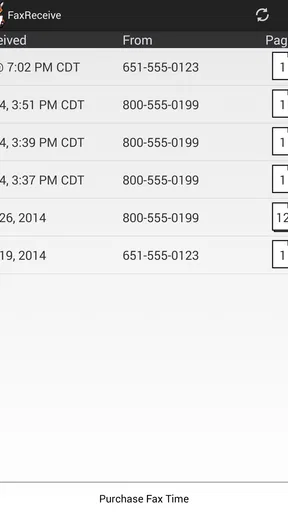
Our Review of FaxReceive - receive fax phone
 Analysis by Appyee
FaxReceive is the kind of business app I would install for one very specific reason: a fax still needs to reach me, but I do not want to depend on a traditional fax machine. Its purpose is straightforward—receiving faxes on an Android phone or tablet—and that narrow focus is also its biggest strength. I found it most useful as a backup channel for people who occasionally handle paperwork from home, while travelling, or from a small office without dedicated fax equipment.
The app is published by Actual Software Inc. and is available as a free download for everyone. Its listing shows a 4.4 average from around 483 ratings, with more than 50 thousand installs, so it has attracted a meaningful group of users without feeling like a general-purpose office suite. That distinction matters: this is a focused receiving tool, not a complete replacement for every part of a business document workflow.
How FaxReceive fits into an accessible, everyday workflow
I find the most useful way to judge mobile fax access is to look beyond the moment a page arrives and consider what happens next: who checks it, how it is read, and where it belongs. A simple routine can make a narrow tool more dependable without turning it into a complicated office system. That everyday perspective also helps clarify which needs call for a broader alternative.
Readability and navigation for a focused task
In my experience, the appeal of FaxReceive begins with its limited job. When an app is built around receiving faxes rather than combining scanning, editing, signing, cloud storage, messaging, and accounting, there is less conceptual clutter to work through. A person who already understands what a fax is supposed to do can approach it with a clear goal: make the app available, then check for incoming documents.
That simplicity can be helpful for people who find crowded business apps tiring to read or difficult to navigate. It also suits a family member or colleague who is not comfortable with complicated office software. Instead of teaching someone an entire document platform, I could explain the role of this app in one sentence: it is the place to receive a fax on a mobile device.
Still, a focused purpose does not automatically make every interaction easy for every reader. Fax documents themselves may be the real readability challenge. A fax can arrive as a low-quality scan, with small type, uneven contrast, handwritten notes, or a layout designed for paper rather than a phone screen. I would not judge the app only by how clean its interface feels; I would also consider whether the received document can be comfortably inspected on the particular phone or tablet being used.
For someone with reduced vision, a tablet may be a more practical choice than a small phone because the page can be viewed at a larger physical size. I would also keep the device display settings comfortable before reviewing an important document and avoid relying on a quick glance at a notification. The important information may be inside the fax, where zooming and careful page-by-page reading are more useful than a compact preview.
One useful habit is to separate “the fax arrived” from “the fax has been understood.” I would first confirm that a document was received, then open it in a calm setting where I can enlarge the page and inspect names, dates, signatures, and numbers. This is especially important for medical, insurance, legal, or financial paperwork, where a single hard-to-read character can change the meaning.
Motor and sensory considerations
A phone-based fax receiver removes one physical obstacle: the user does not have to walk to a fax machine, load paper, retrieve pages, or keep a machine within reach. That can make a difference for anyone with limited mobility, fatigue, or a workspace arranged around seated use. A phone or tablet can remain beside the user, making incoming business communication less dependent on moving around an office.
It can also reduce the sensory burden associated with traditional office equipment. There is no need to listen for a fax machine in another room or watch a paper tray for output. A person who is easily distracted by office noise may prefer checking the mobile device at a chosen time. Someone who cannot reliably hear an alert should treat notifications as only one part of the workflow, however, and establish a regular manual check rather than assuming an audible signal will always be noticed.
Touch interaction can be both a benefit and a limitation. A mobile screen avoids the small physical buttons found on some older fax machines, but it still requires tapping, swiping, and possibly selecting a document. Users with tremors, limited dexterity, or difficulty with precise gestures may find a small phone less comfortable than a larger tablet. In that situation, I would use the largest practical screen, place it on a stable surface, and avoid trying to manage an important fax while walking or carrying other items.
There is a less obvious trade-off here. A paper fax can be physically marked, sorted, and handed to another person without any device interaction. A mobile fax is easier to access from different locations, but the user may need to perform more digital steps before the document becomes useful to someone else. If a caregiver, assistant, or coworker normally helps with paperwork, the receiving process should be agreed in advance so that an arrival does not get overlooked.
For sensory access, I would also think about the document rather than just the app. A fax containing dense text, faint lines, or handwritten content may remain difficult even on a bright, large display. FaxReceive can bring the document to the phone, but it cannot make every original page clear. When the source itself is poor, asking the sender to resend a cleaner page may be more effective than repeatedly adjusting the screen.
Situational access away from the office
The strongest real-world scenario is a person who has left the office but still needs to receive an expected document. Imagine a small business owner visiting a client, a property manager checking a repair authorization from home, or a relative helping with paperwork while travelling. Carrying a fax machine is unrealistic, while keeping a phone or tablet nearby is normal. In those situations, receiving the fax through a mobile device can prevent a delay and reduce dependence on a fixed desk.
I see particular value for occasional fax users. If incoming faxes are rare, buying and maintaining dedicated hardware can feel excessive. FaxReceive gives that user a more portable point of access and avoids making paper the first destination. It may also help a very small office where one person handles documents from several locations rather than sitting beside a machine all day.
There is a practical preparation step that is easy to miss: install and configure the app before the urgent document is expected. I would not wait until a sender says, “I have just faxed it,” because the receiving workflow may involve setup that is difficult to complete under pressure. I would also perform a low-stakes test with the people who regularly send documents, then decide who checks the app and what happens after a document arrives.
Another useful workflow is to treat the app as an intake point, not as the entire records system. After receiving a fax, I would identify the document, note who needs it, and move it into the organization’s normal filing or follow-up process. That prevents an important page from becoming buried among other phone notifications. The app is most helpful when paired with a simple routine: check, review, label, and pass on.
For users who work in shared spaces, situational access also raises a privacy question. A phone is portable, but it is often viewed by family members, customers, or coworkers. I would review sensitive faxes away from a public counter and avoid leaving the document open on a device that other people can easily pick up. This is not a complaint unique to FaxReceive; it is the natural consequence of moving business paperwork from a private machine to a personal mobile screen.
Compared with email, the app serves a different situation. Email is usually easier when the sender can attach a digital file and the recipient already has a reliable inbox workflow. Fax remains relevant when an organization insists on faxing or when the sender’s process is built around a fax number. In that case, FaxReceive is a sensible bridge between an older communication method and a mobile-first working day.
Compared with a traditional fax machine, the advantage is mobility and reduced dependence on paper at the point of receipt. The machine may still be better for a busy office that receives a constant stream of pages and needs immediate physical sorting. Compared with a broad document-management service, FaxReceive may be easier to explain and less distracting, but a larger platform may be better for teams that need shared review, structured filing, signatures, and long-term collaboration in one place.
Where accessibility and convenience still meet barriers
The first barrier is that receiving a fax is only one part of the task. A person may still need to read a difficult scan, forward it, print it, archive it, or explain its contents to someone else. The app can make the arrival more convenient without solving every step that follows. I would recommend it to someone who mainly needs mobile receipt, not to someone looking for a full accessible document office.
The second barrier is dependence on a compatible mobile workflow. A user who is comfortable with paper but struggles with touchscreens may find a fax machine more predictable. Likewise, someone who needs a carefully structured team process may prefer an established business platform with broader controls. FaxReceive’s narrow purpose is helpful when it matches the need, but limiting when the surrounding work is complex.
Cost also deserves a close look. The app is free to download, while in-app purchases range from about five dollars to around 140 dollars per item. I would check the available purchase choices before relying on it for regular business use, especially if several people need access or if fax volume is unpredictable. A free installation is useful for trying the workflow, but it should not be confused with unlimited operation at no cost.
The app is marked for everyone, which makes it approachable from an age-rating perspective, but that does not mean every fax is suitable for every person to handle. A document may contain sensitive adult business, medical, or financial information even when the app itself is broadly rated. For families and small teams, I would decide who is responsible for checking incoming material and where it may be viewed.
There is also a human-factors issue: mobile convenience can encourage people to check documents in unsuitable places. Reading a fax while driving, crossing a street, or rushing between appointments is unsafe and likely to produce mistakes. The better approach is to let the app receive the document in the background of the day, then review it when the user has stable posture, adequate light, and enough time to verify details.
I would skip this app if my main requirement were sending faxes, editing pages, signing forms, or building a searchable archive. Its identity is centered on receiving, and choosing it for a broader job could lead to frustration. I would also look elsewhere if my workplace requires a carefully managed shared inbox or a formal accessibility workflow that depends on tools and policies beyond a mobile receiver.
My inclusive verdict after using it as a mobile fax point
FaxReceive makes the most sense for people who need incoming faxes to follow them rather than remain tied to a machine. I like its focused role, especially for occasional users, small offices, remote workers, and people who benefit from checking paperwork from a seated or familiar location. The strongest accessibility benefit is situational: it can remove the need to reach a physical fax machine and can make receipt possible while away from the office.
My recommendation comes with a clear condition. Before choosing it, I would test the complete path from incoming fax to readable, correctly handled document. That means checking the display on the intended phone or tablet, deciding who monitors arrivals, planning how sensitive pages are reviewed, and confirming that the rest of the team can work with the received file. Those steps reveal more than the download screen does.
Actual Software Inc. has kept the concept direct, and that directness is valuable when a user wants one dependable mobile destination for incoming faxes. At the same time, the app should not be treated as a universal answer for document accessibility or office communication. For a person whose needs stop at receiving faxes on a mobile device, it is a practical free starting point. For anyone needing richer document handling or a more structured shared workflow, a different business tool may be the better fit.
Overall, I would recommend giving FaxReceive a careful trial when portability matters more than a complete office suite. Its best quality is not that it transforms faxing; it is that it places this old-fashioned but sometimes unavoidable communication channel closer to the person who needs to receive it. Use it as a deliberate intake tool, not as a substitute for the entire paperwork process.
Verdict
Strengths of FaxReceive - receive fax phone
- Receive faxes directly on your smartphone.
- Useful for working remotely or while traveling.
- Avoids the need for a physical fax machine.
- Keeps received documents accessible in one place.
- Can help reduce paper use and office equipment costs.
Limitations of FaxReceive - receive fax phone
- Requires a reliable internet connection to receive faxes.
- Fax availability may depend on subscription or in-app purchases.
- Sensitive documents are stored on a mobile device or online.
- Receiving quality can vary with the sender’s fax machine.
- Not ideal for users who only receive faxes occasionally.
Other Releases by Actual Software Inc.
View All
FaxFile - Send Fax from phone
Business4.9
Similar Picks in This Category
View All
LinkedIn: Community & Network
LinkedIn3.8

Zoom Workplace
zoom.com4.1

Microsoft Teams
Microsoft Corporation4.6

Meta Business Suite
Meta Platforms, Inc.4.6

Webex Meetings
Cisco Systems, Inc.4.5

TeamViewer Remote Control
TeamViewer4.4
Frequently Asked Questions
What is FaxReceive - receive fax phone and how does it work?
FaxReceive - receive fax phone is designed to let you receive faxes through your mobile device without needing a traditional fax machine. After installing the app, you generally receive a dedicated fax number or connect an available number, depending on the service and region. Incoming documents are delivered digitally, allowing you to view, save, and manage them from your phone. Availability and setup options may vary by country.
Can I receive a fax for free with FaxReceive - receive fax phone?
The app may offer free access, a trial period, or limited receiving features, but users should carefully review the current pricing information before relying on it for regular fax communication. Some functions, such as obtaining a fax number, receiving multiple documents, extending storage, or removing restrictions, may require a subscription or in-app purchase. Prices and included allowances can differ between Android and iOS.
Do I need a fax number to use FaxReceive - receive fax phone?
In most cases, receiving a fax requires a valid fax number associated with the service. FaxReceive may provide one during registration, or it may ask you to select a number based on your location and plan. Before downloading, check whether numbers are available in your country and whether the number remains active only while your subscription or account is in good standing.
Are received faxes secure and private in the app?
Because received faxes can contain personal, medical, financial, or business information, privacy is an important consideration. The app may protect access through your device security or account login, but users should still review its privacy policy and permissions. Avoid storing sensitive documents on shared devices, use a strong password, and delete files you no longer need.
What file formats and sharing options are available for received faxes?
Received faxes are commonly presented as digital documents, often in PDF or image format, so they can be read directly on a smartphone. Depending on the version of FaxReceive and your operating system, you may be able to download files, save them to cloud storage, print them, or share them through email and messaging apps. Test these options before using the app for important documents.
